Download OP Auto Clicker Latest Version
[100% Free]
Download the latest version of OP Auto Clicker for Windows, Mac, and Android from this page.
Choose Your Download
Download for Windows
Supports: Windows 11, 10, 8.1, 7, Vista
File Size: 872 KB
Version: 4.0
Updated: 13 September 2022
Download for Mac OS
Supports: macOS X and newer
File Size: 546 KB
Version: 4.0
Updated: 26 August 2022
Download for Android
Supports: Android 7.0 and above
File Size: 1.8 MB
Version: 4.0
Updated: 14 August 2022
All files are 100% virus-free and ad-free.
Safe to use for gaming, automation, and productivity tasks.
Lightweight – quick to download and runs without lag.
Installation Guides
Follow these simple steps to install OP Auto Clicker on your device:
Install on Windows
- Download and extract the ZIP file.
- Open AutoClicker.exe.
- No installation required — the tool launches instantly.
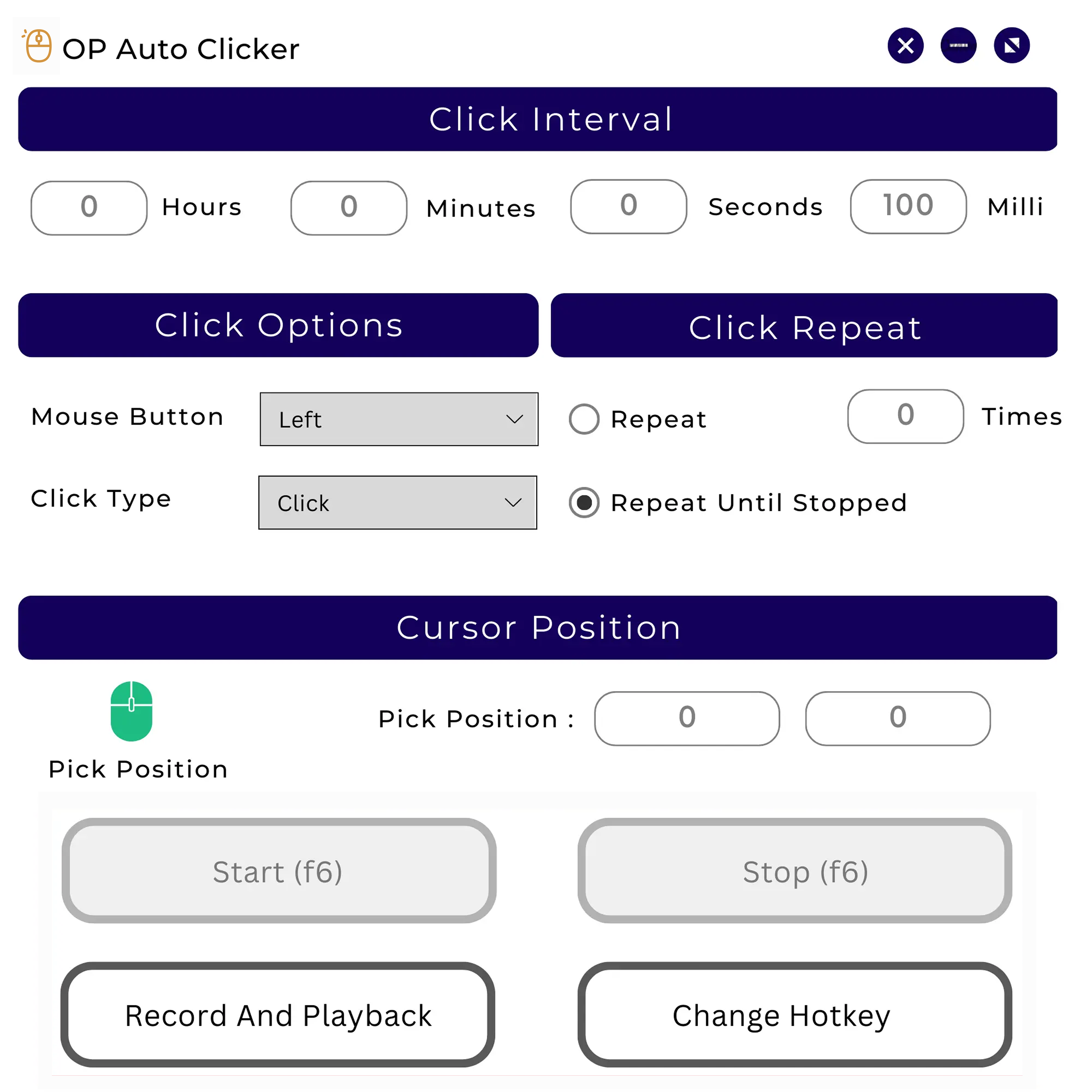
- Configure click interval, hotkeys, and click type.
Install on Mac
- Download the .dmg file.
- Drag OP Auto Clicker into your Applications folder.
- Open the app and set your preferences.
Install on Android
- Download the .apk file.
- Enable "Install from Unknown Sources" once.
- Open the app and start auto-clicking.
App Details
App Name
OP Auto Clicker
Category
Auto Mouse Clickers
File Size
872 KB (Win) / 546 KB (Mac) / 1.8 MB (Android)
Supported OS
Windows / Mac / Android
Security
100% Safe & Virus-Free
License
Free & Open Source
Latest Version
4.0
Developer
OP Auto Clicker Team
User Rating
4.5 / 5
ChangeLog
v4.0
- Added Random Offset feature
- Improved UI design and overall performance
v3.0
- Default click interval set to 100 milliseconds
- Fixed several performance bugs
v2.0
- Added Middle Click option
- Added Triple Click type
v1.0.0.2
- Introduced minor options and About page
- Enabled custom hotkeys
- Settings now auto-save between sessions
v1.0.0.1
- Added Right Click support
- Added Double Click mode
- Improved settings memory and stability